How much should you spend on a gaming PC? For most people, $1,000 to $1,500 buys a prebuilt that plays modern games well at 1080p or 1440p for years. Under $1,000 gets you a capable 1080p system with some compromises. Above $2,000, you are paying for 4K, very high frame rates, and headroom, and each extra dollar buys less additional performance.
This guide breaks down what each budget actually gets you, where the value sweet spot is, which compromises are acceptable at each tier, and how discounts change the math. All prices refer to prebuilt desktops; gaming laptops cost more for the same performance.
Gaming PC budgets at a glance
| Budget | What to expect | Best for |
|---|---|---|
| Under $800 | Entry-level GPU, often 16GB RAM, smaller SSD | Esports, older and lighter games at 1080p |
| $800 to $1,000 | Solid 1080p performance, some 1440p | Budget-conscious players who want new games |
| $1,000 to $1,500 | Strong 1080p, good 1440p | Most gamers; the value sweet spot |
| $1,500 to $2,000 | High-refresh 1440p, entry 4K | Enthusiasts, high-refresh monitors |
| $2,000 to $3,000 | 4K gaming, very high frame rates | 4K monitors, demanding settings |
| $3,000+ | Flagship GPU and CPU | Maximum settings, 4K high refresh, creative work |
Prices move constantly, and a good discount can push a system up a tier. See current options on our gaming PCs under $1000, under $1500, and under $2000 lists.
Under $800: entry-level gaming
At this price, a prebuilt gaming PC is built around an entry-level graphics card, a six-core CPU, and usually 16GB of memory with a 500GB to 1TB SSD.
What it does well: esports titles such as competitive shooters and MOBAs at high frame rates, older games, and many newer games at 1080p with reduced settings.
Where it compromises: demanding new releases will need lower settings, the power supply may limit future GPU upgrades, and storage fills up quickly with modern game sizes.
Watch for: systems that save money with a single memory stick, a very small SSD, or a low-quality power supply. Check the spec sheet before you buy.
$800 to $1,000: the budget sweet spot
This range buys a lower mid-range GPU, a capable modern CPU, 16GB of RAM, and a 1TB SSD. It is the cheapest range we would recommend for someone who wants to play new releases comfortably at 1080p.
Discounts matter most here. A system that normally sells for $1,100 to $1,200 and drops under $1,000 during a sale is often the best value in the entire market.
$1,000 to $1,500: where most buyers should land
For most gamers, this is the range that delivers the best long-term value. Expect an upper mid-range GPU, a strong six- or eight-core CPU, 16GB to 32GB of RAM, and 1TB to 2TB of storage.
What it does well: almost every game at 1080p with high settings, and strong 1440p performance with a 144Hz monitor. It will stay capable for several years.
Why it is the sweet spot: performance rises steeply from entry level to this tier. Above it, each additional dollar buys proportionally less extra performance.
Browse current systems in this range on our gaming PCs under $1500 list.
$1,500 to $2,000: high-refresh 1440p
This tier brings upper mid-range to high-end GPUs, faster CPUs, 32GB of RAM, and larger SSDs. It is ideal if you have a high-refresh 1440p monitor and want to use it fully, or if you want to dip into 4K with upscaling.
What to look for: at least 12GB to 16GB of VRAM on the graphics card, 32GB of dual-channel memory, a quality power supply with headroom, and good case airflow. See our RAM guide and GPU guide for detail.
$2,000 to $3,000: 4K and very high frame rates
High-end GPUs, top CPUs, and premium cooling live here. This tier is for 4K monitors, very high refresh rates in demanding games, and heavy ray tracing.
Diminishing returns are real at this point. A system at $2,800 is not twice as fast as one at $1,400. Spend here if your monitor and games will actually use the performance.
Compare current high-end systems on our gaming PCs under $3000 list.
$3,000 and up: flagship builds
Flagship GPUs and top-tier CPUs deliver the highest performance available, especially at 4K. They also make sense for creators who edit video, render 3D scenes, or stream at high quality on the same machine.
For pure gaming, flagship builds are the least efficient use of money. They are worth it if you want maximum settings at 4K with high frame rates and do not want to compromise.
Do not forget the rest of the setup
The PC is not the whole cost. If you are starting from scratch, budget for:
- Monitor: a good 1080p or 1440p high-refresh monitor. See our gaming monitors.
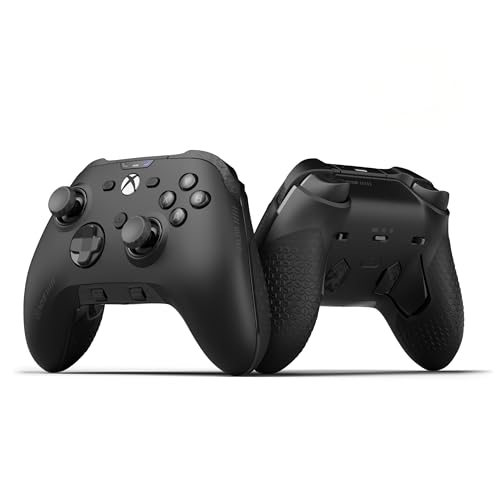
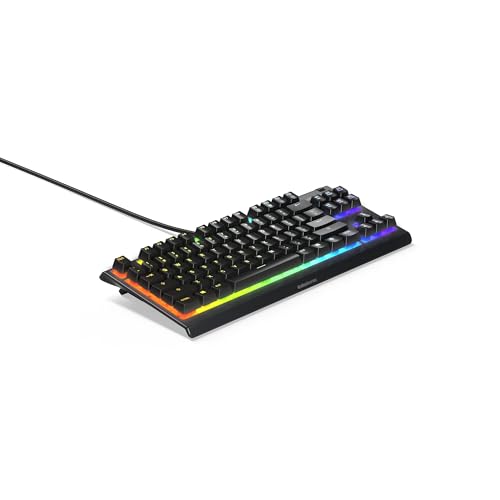
- Keyboard and mouse: browse gaming keyboards and gaming mice.
- Headset: see gaming headsets.
- Games and subscriptions.
A sensible split for a first setup is to put most of the budget into the PC and monitor, since those decide how games look and play, then add peripherals that fit your comfort and play style.
How discounts change the math
Because prebuilt gaming PCs are discounted often, the smartest way to buy is to set a budget, then look for the best system that has dropped into it.
- Check what the parts are worth. A good deal prices the system near or below the cost of its components.
- Look at the reference price. Our product pages show which reference a discount is measured against.
- Previous-generation systems can offer more performance per dollar if they are priced well below current models.
For more detail, read our guide to real gaming PC deals and when to buy a gaming PC.
Prebuilt or build your own at each budget?
At lower budgets, prebuilts are often equal to or cheaper than building, because makers buy parts in bulk and include the Windows licence. At higher budgets, building your own gives you more control over parts such as the power supply and cooling, and can save money if you shop carefully. Our prebuilt gaming PC buying guide covers what to check before buying a prebuilt.
Sample setups at three budgets
Here is how a complete first setup might break down at three budget levels, including the PC and the essentials around it.
| Total budget | PC | Monitor | Keyboard, mouse, headset |
|---|---|---|---|
| Around $1,100 | About $800 entry-level PC | 1080p 144Hz+ | Budget wired peripherals |
| Around $1,800 | About $1,200 to $1,300 mid-range PC | 1440p 144Hz+ | Mid-range wireless mouse and wired keyboard |
| Around $3,000 | About $2,000 to $2,200 high-end PC | 1440p 240Hz or 4K | Premium wireless peripherals |
These are starting points. If you already own a monitor or peripherals, put the savings into a better PC, since the graphics card decides how games look and play.
Hidden costs in cheap prebuilts
Very cheap prebuilts sometimes reach their price by cutting corners you will pay for later:
- A small SSD that fills after a few modern games, forcing you to buy more storage.
- A single memory stick that limits performance until you add a second.
- A low-wattage or unbranded power supply that cannot support a future GPU upgrade.
- Poor airflow that makes the system loud and hot.
Factor these into the price when you compare systems. A slightly more expensive system without these compromises is often the better deal.
The bottom line
Spend $1,000 to $1,500 if you want the best long-term value for 1080p and 1440p gaming. Go under $1,000 if you mainly play esports or lighter games. Go above $2,000 only if you have a 4K or very high-refresh monitor and games that will use the extra performance. Then let discounts work for you by watching for higher-tier systems that drop into your budget.
See every system we track, sorted by the biggest current discount, on our gaming PCs page.
Frequently asked questions
How much does a good gaming PC cost?
A good prebuilt gaming PC that plays modern games well at 1080p and 1440p typically costs $1,000 to $1,500. Capable 1080p systems are available under $1,000, and 4K-capable systems usually start around $2,000.
Is a $1,000 gaming PC good enough?
Yes for 1080p gaming in most new games and esports titles at high frame rates. It may need lower settings in the most demanding games and at 1440p.
Is it worth spending $2,000 on a gaming PC?
It is worth it if you have a high-refresh 1440p or a 4K monitor and play demanding games. For 1080p gaming, a $2,000 system is more than you need.
Is it cheaper to build or buy a gaming PC?
At lower budgets, discounted prebuilts are often as cheap as building, since they include the Windows licence and a warranty. At higher budgets, building can save money and gives you more control over parts.
About the author
Jaden Williams
Jaden Williams writes ClearanceStream's guides to finding and judging gaming PC deals, focusing on separating genuine price drops from inflated list prices, and on showing readers how to value a discounted system by the components inside it.